
Enroll in a Monthly Plan on grpayit
The Monthly Plan option allows Grand Rapids residents to setup 3 automatic payments towards their quarterly water bill on grpayit. Monthly Plan payments must be set up with each new quarterly water/sewer bill that is issued.
To set up a Monthly Plan for your water bills, you must first have a grpayit profile (see Create a Profile on grpayit). Guest users cannot set up AutoPay at this time.
After signing in and linking your account (see Connect a Utility Account on grpayit), follow the steps below to enroll your water account in a Monthly Plan:
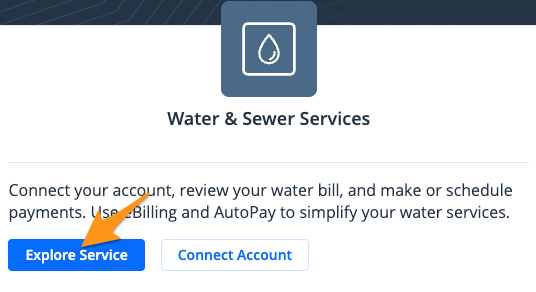
- Click Explore Service in the "Water & Sewer Services" section
- Select Manage Monthly Plan
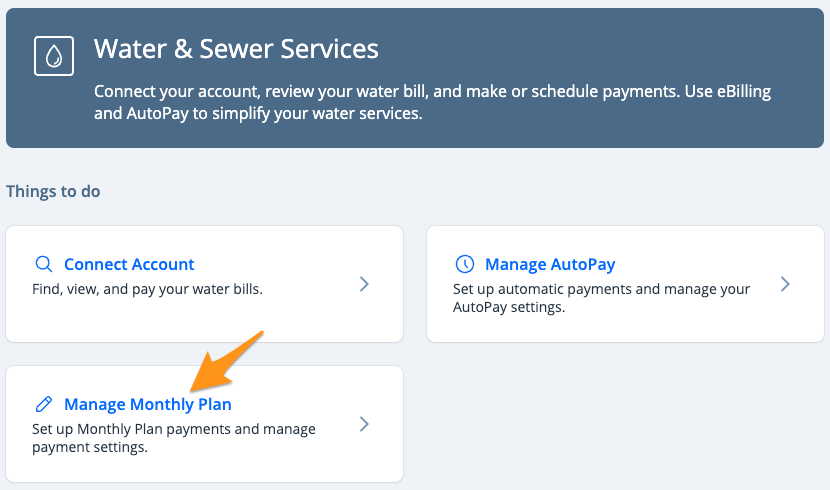
- Click Set up Monthly Plan

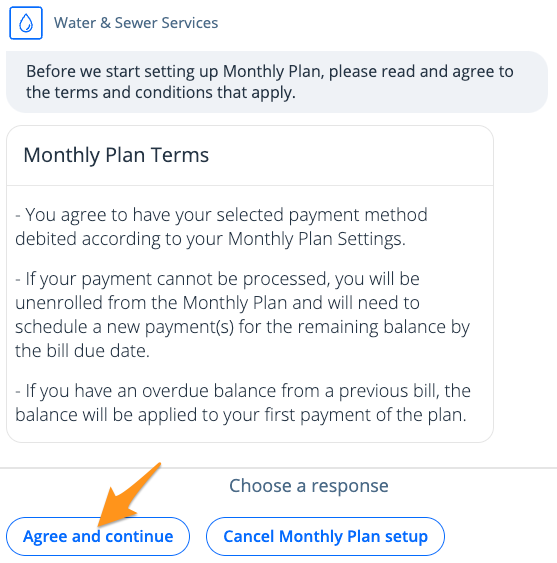
- Review the Monthly Plan Terms and choose Agree and continue
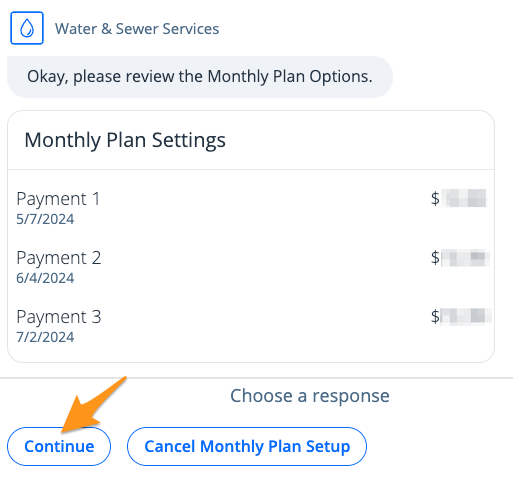
- Review the dates and amounts for your three Monthly Plan payments and click Continue
- Enter your "Contact Information" and click Submit
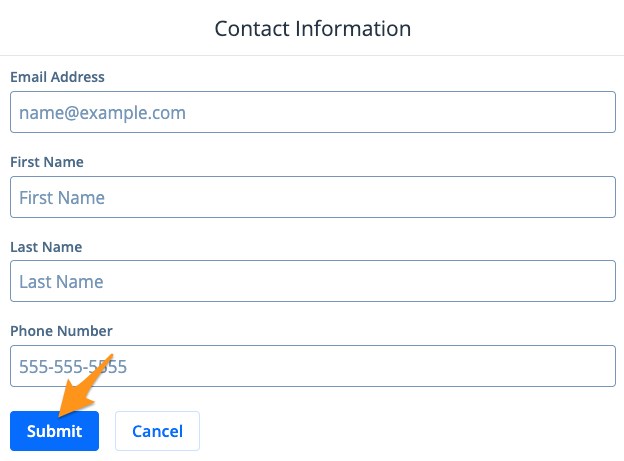
Note: These details are for receipt purposes only and do not need to match the account owner's information
- Select a Payment Method and click Submit
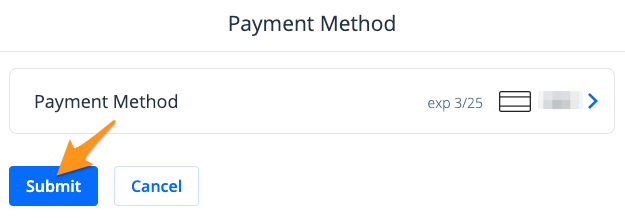
Note: If you already have a payment method stored on your profile, it will appear here. Click the Payment Method to select a different payment method from your profile or to add a new payment method.
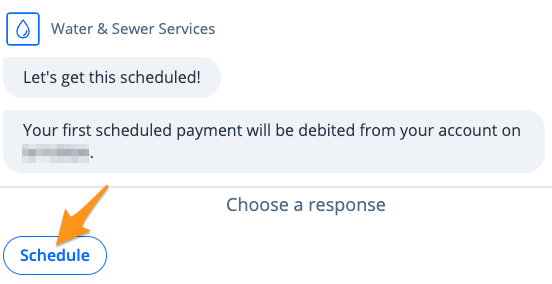
- Click Schedule to confirm your first scheduled payment date and to activate your Monthly Plan for your current quarterly bill
Note:
- An email notification will be sent as a reminder on the day before each automated Monthly Plan payment, and the dashboard will display a Monthly Plan icon on the water account.
- The Monthly Plan payments will be cancelled if the stored payment method expires or is deleted from your profile.
- Future automated Monthly Plan payments will be cancelled if the first or second automated payment is unsuccessful (e.g. insufficient funds, expired credit card).