
Pay a City of Grand Rapids Delinquent Personal Property Tax Bill on grpayit
Catching up on past-due taxes is now easier with grpayit! Avoid additional penalties by reviewing your balance and making a payment online. Log in to your grpayit profile and follow the steps below to get started:
-
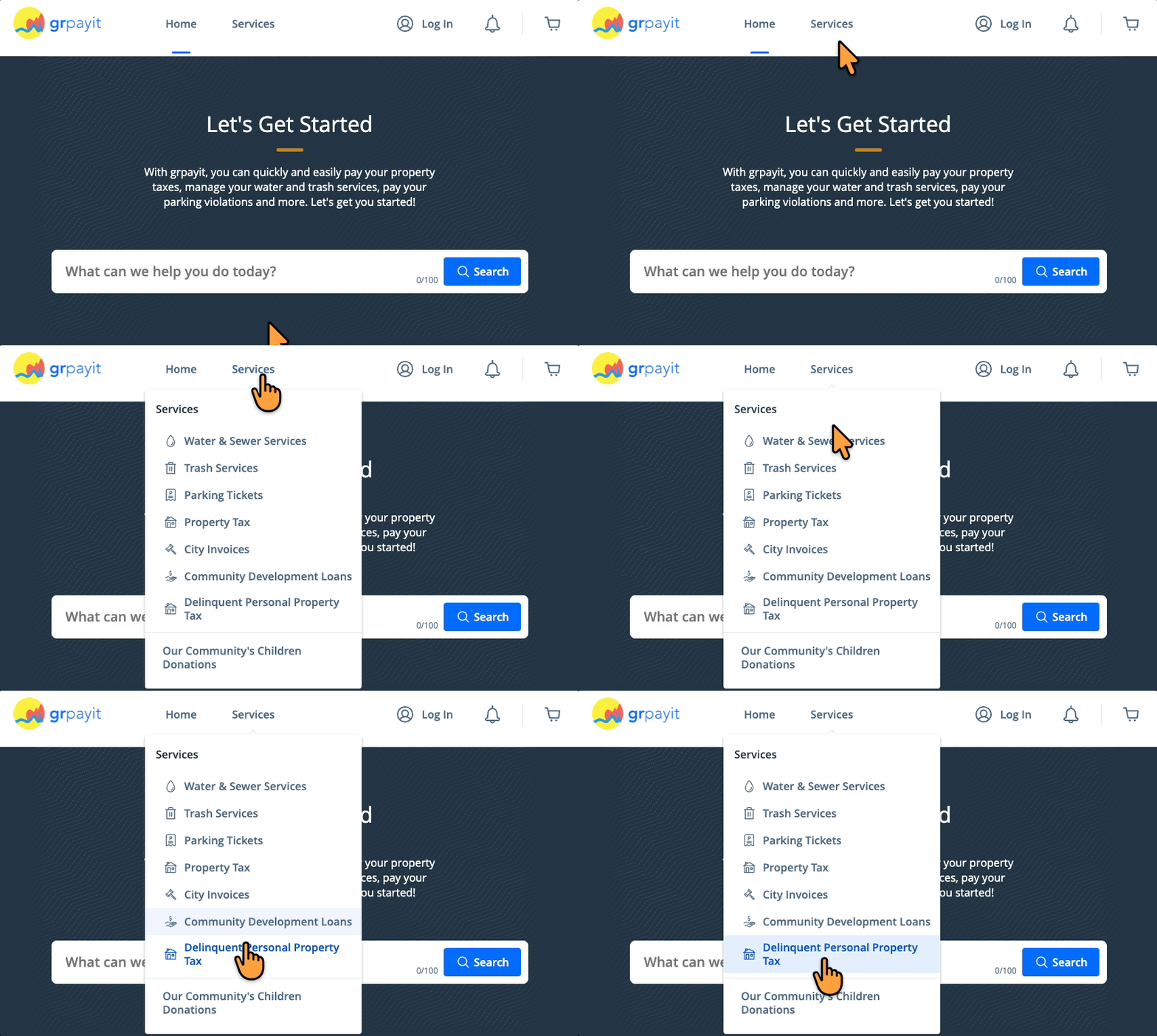
Select Delinquent Personal Property Tax from the "Services" drop-down menu
-
Click Connect Account then locate your property
-
Select the bill you wish to pay, enter a payment amount and click Add $--.-- to Cart
-
On the cart notification, select Continue to Checkout
-
Choose a payment method and select your preferred payment date, then click the blue Pay $--.-- button to submit your payment
Related step-by-step guides: